|
Enable suEXEC
2016/06/13 |
|
Normally, a process owner of CGI performing is the Apache admin user,
but it's possible to perform CGI scripts with other userID as process owner to enable suEXEC function.
|
|
| [1] | Enable suEXEC. |
|
root@www:~#
root@www:~# apt-get -y install apache2-suexec-custom a2enmod suexec Enabling module suexec. To activate the new configuration, you need to run: service apache2 restartroot@www:~# systemctl restart apache2
|
| [2] | For example, Configure suEXEC settings with a user "ubuntu" like follows. The environment of virtualhost of this example is the same with here. |
|
root@www:~#
vi /etc/apache2/suexec/www-data # add to the head of a file: the directory for enabling suEXEC
/home/ubuntu/public_html /var/www public_html/cgi-bin
root@www:~#
vi /etc/apache2/sites-enabled/virtual.host.conf
<VirtualHost *:80>
    ServerName www.virtual.host
    ServerAdmin webmaster@virtual.host
    DocumentRoot /home/ubuntu/public_html
    ErrorLog /var/log/apache2/virtual.host.error.log
    CustomLog /var/log/apache2/virtual.host.access.log combined
    LogLevel warn
    # set "ubuntu" user for suEXEC
    SuexecUserGroup ubuntu ubuntu
    <Directory "/home/ubuntu/public_html">
        Options +ExecCGI
        AddHandler cgi-script .cgi .pl
    </Directory>
</VirtualHost>
root@www:~# systemctl restart apache2
|
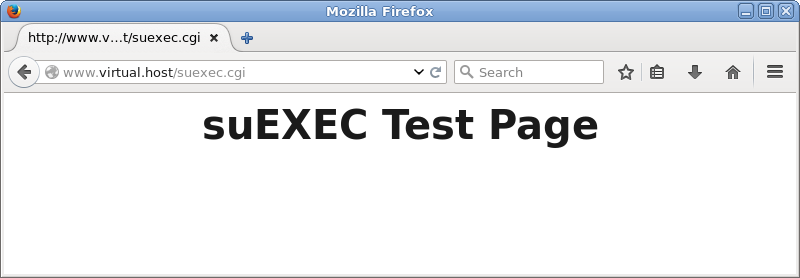
| [3] | Create a test script which has 700 permission with the user "ubuntu" and make sure it works normally. |
|
ubuntu@www:~$
vi ~/public_html/suexec.cgi #!/usr/bin/perl print "Content-type: text/html\n\n"; print "<html>\n<body>\n"; print "<div style=\"width: 100%; font-size: 40px; font-weight: bold; text-align: center;\">\n"; print "suEXEC Test Page"; print "\n</div>\n"; print "</body>\n</html>\n"; chmod 700 ~/public_html/suexec.cgi |
|